Corporate video: what it is, examples and how-to (2026)
In this article, you will learn what a corporate video is and why your business needs one; the types and examples for small businesses; how long it should be on each channel; how to make one step by step and with AI; how much it costs; which mistakes to avoid; and how to use it on YouTube, LinkedIn and TikTok.

A corporate video is the video that introduces your company: who you are, what you do, who you do it for and why people can trust you, without selling a specific product. It lives on your website, on social media, in sales proposals and in hiring, and it works best in versions: one long piece for the website and short cuts for each social network.
| Type | What it's for | Typical length | Where to post it | Can AI make it? |
|---|---|---|---|---|
| Company overview | Show who you are and what you do | 1 to 3 min (long) and 30 to 60 s (short) | Website, YouTube, LinkedIn, Reels | A short version, yes, from photos (the length depends on the tool) |
| Customer testimonial | Prove it with a real customer's words | 30 s to 2 min | Website, proposals, social media | No: the real customer has to be on camera |
| Behind the scenes and team | Show the people and the process | 30 s to 2 min | Social media, website | Partly: script and voiceover |
| Brand manifesto | Tell the story of your brand's purpose | 45 s to 2 min | Website, launches, social media | Partly: script and voiceover |
| Animated or explainer | Explain a service that's hard to film | 45 s to 2 min | Website, proposals, social media | Partly: script and voiceover |
| Internal and recruiting | Talk to your team or attract candidates | 1 to 3 min | LinkedIn, careers page, onboarding for new hires | Partly: script and voiceover |
What changed in 2026: AI has made its way into video production. In Wyzowl's State of Video Marketing 2026 report (a survey of 266 marketers and consumers in late 2025), 91% of businesses surveyed say they use video in their marketing, and 63% of marketers who use video have already used AI to create or edit videos (up from 51% in the previous edition).
In this guide, you will learn:
- What a corporate video is and how it differs from an advertising video.
- The types and which one to use for each goal.
- Examples for small businesses, from eight industries.
- How to make one, with a 60-second script.
- What AI does, what stays with you and what drives the price.
What is a corporate video?
A corporate video, also called a company video, brand video or company introduction video, doesn't announce a sale or the product of the week. It builds your brand's image: it helps people who don't know you yet understand what your company does and why they can trust it.
What's the difference between a corporate video and an advertising video?
An advertising video sells an offer right now: a product, a price, a date. It comes down when the campaign ends. A corporate video builds your reputation, so the sale is easier later, and it stays on your website.
Why does your business need a corporate video?
Unlike a company video made for a campaign, a corporate video has no end date: it stays on your website for as long as the company is the same. And it solves a concrete problem: customers want to know who they're dealing with before they ask for a quote.
- Trust before the first contact: people who visit your website or your Instagram professional account see the place and the people before they reach out.
- Website and sales proposals: on your "About" page or as a link in a proposal, it introduces the company so you don't have to repeat the same explanation in every meeting.
- Hiring: people thinking about applying get to know the place first.
Types of corporate video: updated 2026 guide
Each type of corporate video serves a different goal.

Company overview
This is the classic company introduction video: the business presents itself, from the problem it solves to the invitation to get in touch. It's the first one worth making, because it becomes the base for all the others.
Watch out for: it easily turns into a list of the company's strengths. Every strength you mention needs to answer a question your future customer actually has.
How to make it:
- Show the place, the team and the service in action.
- End with a clear invitation: the website, the phone number, the address.
Customer testimonial
A real customer tells you about the problem they had and what changed afterwards. It's convincing because the words don't come from the company.
Advantages: it's proof from someone who actually bought, and it works in proposals and on service pages.
Watch out for: get written permission to use the customer's image and words. A testimonial that's too rehearsed loses its effect.
How to make it: record it on your phone, with the customer near a window, and ask "what was it like before?", "what changed?" and "who would you recommend us to?".
Behind the scenes and team
It shows who does the work and how it gets done: the restaurant kitchen, the auto shop's workbench.
Advantages: it humanizes the brand, and your everyday work is the set.
Watch out for: get an image release from every team member and tidy up the space before you shoot.
How to make it: film 3 to 5 second clips of each step of the work and put them together with a voiceover that explains the process.
Brand manifesto (purpose)
A narrated text about what the company believes in, for a launch, an anniversary or a new chapter. It only works if the purpose holds up day to day: a beautiful manifesto from a company with bad customer service becomes a joke in the comments.
How to make it: write the text first and read it out loud. If it sounds fake to you, it will sound fake to your customers. Then cover the voiceover with real footage of the company.
Animated company video
In an animated corporate video, illustration, motion text and voiceover explain a service you can't film: software, insurance, consulting. Explainer videos are already a habit: in the Wyzowl survey, 96% of people say they've watched one to learn more about a product or service.
Watch out for: generic animation looks like stock footage. Use your brand's colors, font and logo in every scene. That part is the animator's job; AI helps with the script and the voiceover.
How to make it: one idea per scene, with a short line on screen, showing the service from the customer's point of view.
Internal and recruiting videos
This is the video for your team and for hiring (what the market calls internal communications and employer branding): a welcome for new hires and a day in the life of a role. Show the routine as it really is: promising a workplace that doesn't exist attracts people who will end up frustrated.
How to make it: let team members describe what a workday is like and end with how to apply.
Which type of corporate video should you use for each goal?
| Goal | Best type | Why |
|---|---|---|
| Build trust on your website | Company overview | Answers who you are, what you do and who you do it for |
| Close a proposal | Customer testimonial | The customer vouches for you, not the company |
| Explain a complex service | Animated or explainer | Shows what you can't film |
| Hire | Internal and recruiting | Candidates see the routine before the interview |
| Start a new chapter or refresh the brand | Brand manifesto | Marks the change with a single message |
| Holidays (Christmas, New Year) | Behind the scenes and team | The team says thank you and customers see the people |
Corporate video examples for small businesses
Examples from banks and multinationals don't help someone who runs a store. The eight below open with the customer's problem and include proof; the last column tells you whether it can be made from photos. The auto shop is the example made with AI, further down.
| Industry | Opens with (the customer's problem) | In the middle | Proof and invitation | Filming or photos? |
|---|---|---|---|---|
| Bakery | People who want fresh bread before work | The morning bake and the counter opening | Years in business; the address | Photos |
| Clinic | "What's the first appointment like?" | The practitioner explaining how visits work | Years in the neighborhood; the number to book | Filming |
| Auto repair shop | "Took your car in and nobody explained what they replaced?" | The car on the lift and the workbench, with the diagnosis line in the voiceover | The engine before and after; the address | Photos |
| Accounting firm | A month full of filings and deadlines | An animation of what the firm takes off your plate | Clients served; the invitation to talk | Animation |
| Clothing store | Not knowing what to wear for an occasion | The owner puts together an outfit | The outfit before and after; the address and the catalog | Filming |
| Hair salon | Hair that never turns out the way the client wants | The team at work and the tools being cleaned | Before and after, with permission; the booking link | Filming |
| Restaurant | "Where can I get a good lunch in 40 minutes?" | Who cooks and where the ingredients come from | Dishes served per day; opening hours and delivery | Filming; the short version works with photos of the dishes |
| Home services (electrician, plumber, house cleaner) | The burned-out outlet, the leak | How the quote works | Jobs already done; the phone number | Before and after photos |
At the end of the year, a holiday video for your company is a short behind the scenes: each team member says one line of thanks.
How long should a corporate video be?
A practical rule of thumb is 1 to 3 minutes for the long piece and 30 to 60 seconds for the social media versions. The market leans short: in the Wyzowl survey, 71% of marketers say videos of 30 seconds to 2 minutes work best, and only 9% point to anything over 2 minutes.
| Channel | Version | Format | What the platform says |
|---|---|---|---|
| Website and presentations | Long, 1 to 3 min | Horizontal 16:9 | No limit: people there came looking for you |
| YouTube | Long on the channel; short on Shorts | 16:9 on the channel; vertical or square on Shorts | Shorts can be up to 3 min |
| The long or the short one | 16:9; the short one can be vertical | — | |
| Reels | Short, 30 to 60 s | Vertical 9:16 | Over 3 min isn't recommended to non-followers |
| Stories | Short, up to 60 s | Vertical 9:16 | Each clip can be up to 60 s |
The limits come from YouTube Help on Shorts, from the official Reels page, which doesn't recommend reels longer than 3 minutes to new audiences, and from Instagram's official Stories tips (clips of up to 60 s). The dimensions for each format are in our guide to Instagram post sizes.

How to make a corporate video: step by step
- Goal and audience: write down who the video is for and what that person should do after watching it.
- The message in one sentence: "We fix your car on time and explain everything before we charge you." If it doesn't fit in one sentence, the video will be confusing.
- A script with timing for each block: the 60-second template is right below.
- Material: footage, photos of the company, screens of the service, testimonials.
- Voiceover and music: a clear voice, music kept low and licensed for commercial use.
- Versions for each channel: the long horizontal one for the website and the vertical ones for social media, with captions. The cuts come from editing the footage (ask your production company, or cut it in a phone editing app); the AI version is a new video, put together from photos.
What should you say in a corporate video?
Talk about the customer first and the company second. The order that works: the customer's problem, who solves it, how, one piece of proof and the invitation. Your mission and founding story only go in if they help people trust you, in one sentence each.
60-second corporate video script
The script for the short version, for Reels and LinkedIn:
| Time | Block | What goes in | Example (auto shop) |
|---|---|---|---|
| 0–3 s | Hook | The customer's problem, in one image and one line | "Took your car in and nobody explained what they replaced?" |
| 3–15 s | Who we are | Name, how long, where | "We've been the neighborhood auto shop for 12 years." |
| 15–35 s | What we do | The service in action, from the customer's point of view | Filmed: the diagnosis shown to the customer. With AI: the car on the lift and the workbench, and the voiceover says "We explain the diagnosis before we charge you" |
| 35–50 s | Proof | A testimonial, a number or a before and after | Filmed: a customer says "They delivered on the day they promised." With AI: the engine before and after, in photos |
| 50–60 s | Invitation | Where to reach you | Filmed: the address or phone number on screen. With AI: the address in the voiceover and in the post caption |
The hook is there because Instagram's official Reels guide asks for videos that are engaging from the first second so they can be recommended.

The 2-minute version
The long version uses the same five blocks, with more time in the middle: two or three moments of the service, a line from the team and two testimonials.
How to make a corporate video with AI
To create a corporate video with AI, start with the short version: AI writes the script, does the voiceover and builds scenes from your company's photos. To get both the horizontal and the vertical version, you repeat the request and change only the aspect ratio: you end up with two videos, similar but not identical.
| Step | What AI does | What stays with you |
|---|---|---|
| Script | Writes the script from your request | Cutting anything that isn't true about your company |
| Visuals | Creates scenes from your photos | Photographing the place and the work; filming the team and customers |
| Voiceover | Narrates with an AI voice | Recording the owner's voice, if they're the narrator |
| Versions | Makes a horizontal video and a vertical one, one request each | Choosing where to post each one |
When not to use AI: for anything with a real face, real speech or real movement, like testimonials and the team; that calls for filming. AI is for the script, the voiceover and scenes built from real photos of the place and the work. AI must not invent a person, a quote or a space and present it as part of your company.
What if nobody wants to be on camera? You can make the short version with just photos and a voiceover. See how to create AI videos without showing your face.

Real example: the short version, horizontal and vertical
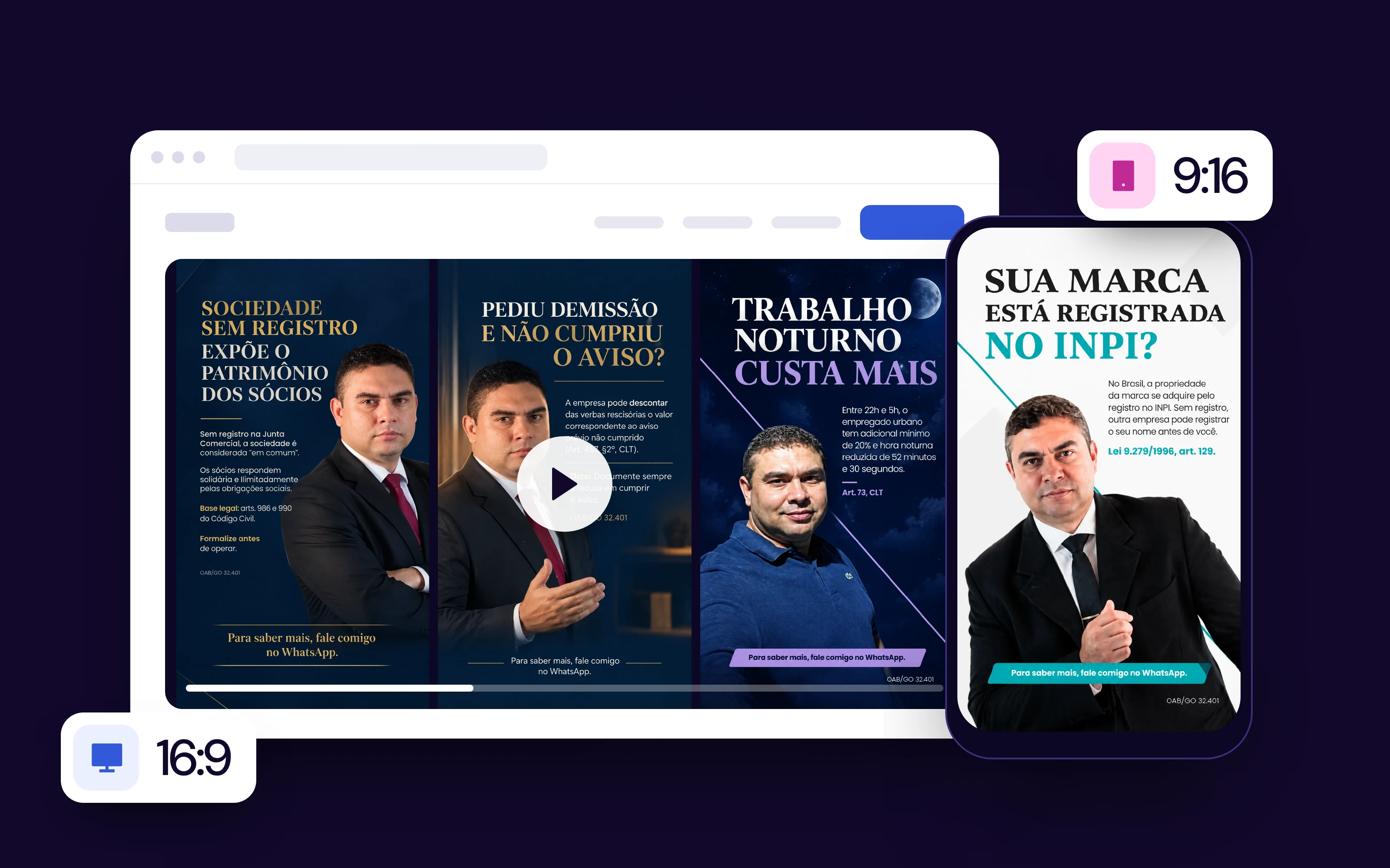
To show what it looks like, we made this example with the BestContent Social video generator, using a made-up Brazilian auto shop name, Oficina Ponto Certo, and five free stock photos with no people in them: they're not from a real auto shop. We made this example in Portuguese, so the app screens and the voiceover are in Portuguese; the process is the same in English. The request was a text with the five blocks of the script above, which fit into 30 seconds. We generated two videos with the same request and the same photos, changing only the aspect ratio: 16:9 for the website and 9:16 for Reels. Before writing the script, the generator asked three questions (for example, whether the address should be spoken or only go in the post caption) and then showed the script scene by scene, with the voiceover, to review before generating. The voiceover uses an AI voice; the logo is optional and was left out.

The result: 7 scenes in the horizontal video and 8 in the vertical one, with different music, similar but not identical, and no people. The format doesn't write text on screen: the request included the written address, and it went into the voiceover and the post caption. Every scene starts from the five photos, but the AI didn't just move the images around: it created motion and angles that weren't in them, like the camera passing under the lift, a water jet and an oil stain on the floor. And the before and after are two different engines, because they're stock photos. In a real auto shop, the proof is the same engine photographed before and after, and the scene-by-scene review is where you cut anything that doesn't happen in your space.
The BestContent Social generator makes short videos from photos, and it doesn't accept clips you filmed yourself; the maximum length varies by account. The long piece, with the team and customers, still calls for filming.
On Reels, a corporate video goes in as the short version and sits alongside formats that tend to perform better there, like selfie videos and product reviews. The full step by step is in our guide on how to create videos with AI.
How much does a corporate video cost?
There's no reliable public price list for corporate video production: the figures you'll find come from the people selling the service and vary a lot from one source to the next. What drives the price the most: shoot days (crew, equipment and travel) and animation. Everything else is in the checklist.
Checklist for requesting a quote (send the same one to every production company, so you can compare like for like):
- Length of the long version: ___ minutes.
- Short versions: ___, for these networks: ___.
- Filming locations: ___.
- People speaking on camera: ___.
- Crew: ( ) just a camera operator ( ) with separate sound and lighting.
- Script: ( ) I'll send it ready ( ) the production company writes it.
- Voiceover: ( ) professional voice actor ( ) someone from the team ( ) no voiceover.
- Animation or motion graphics: ( ) yes ( ) no.
- Music licensed for commercial use: ( ) included ( ) I'll provide it.
- Revisions included: ___ rounds.
- Delivery: formats ___; captions ( ) yes ( ) no; deadline ___.
| Route | What you pay | Best for |
|---|---|---|
| Production company | Money: crew, shoot days and editing | The long piece with the team, customers and space on film |
| Your phone, on your own | Time: filming, editing and captioning | Behind the scenes, testimonials and frequent cuts |
| AI | A little time and the cost of the tool | Short versions made from your photos |
Common corporate video mistakes
- Starting with the company instead of the customer. Your mission, vision and values in full screen don't tell anyone why they should call you.
- One version for every channel. A 2-minute horizontal video on Reels looks tiny on a vertical screen and is too long for someone who doesn't know you yet.
- No captions. People watching with the sound off miss the message.
- Music you don't have the rights to. Only use music licensed for commercial use. To choose music for a corporate video without that risk, see how to create your own track in our guide on how to make music with AI.
Corporate video on YouTube, LinkedIn and TikTok
YouTube: the same video as on your website, on your channel; the vertical versions, on Shorts.
LinkedIn: the long or the short version, and the recruiting video.
TikTok: use the same vertical versions as on Reels, with the hook right at the start and captions on screen.
Frequently asked questions
What is a corporate video?
It's your company's introduction on video: what it does, who it serves and why customers can trust it, without selling a specific product.
What are the types of corporate video?
Company overview, customer testimonial, behind the scenes and team, brand manifesto, animated video, and internal and recruiting videos.
Can you make a corporate video with AI?
You can make the short version: AI writes the script, does the voiceover and builds scenes from your company's photos, one video for each format. Testimonials and your team's faces still need to be filmed.
How do you make a corporate video?
Define the goal and the audience, sum up the message in one sentence, write the script in blocks, gather the material, add a voiceover and licensed music and make one version for each channel.
How much does a corporate video cost?
There's no reliable public price list. The price depends mostly on the number of shoot days and on animation; to compare, send the same scope to every production company.
How long should a corporate video be?
1 to 3 minutes for the long version, on your website, and 30 to 60 seconds for the vertical social media versions.
What's the difference between a corporate video and an advertising video?
A corporate video builds the company's reputation over the long term. An advertising video sells an offer right now and comes down when the campaign ends.
What should you say in a corporate video?
Start with the viewer's problem, say who solves it and how, show one piece of proof (a number, a testimonial or a before and after) and end by saying where to reach the company. Everything else is optional.
Conclusion: your corporate video checklist
The long piece calls for filming; AI can make the short version from your photos. Before you publish, check that:
- The goal and the audience are written down.
- The message fits in one sentence.
- The first seconds show the customer's problem, not your logo.
- There's proof: a testimonial, a number or a before and after.
- The ending says where to reach you.
- There's a horizontal version for the website and a vertical one for social media.
- Captions on screen and music you have the rights to.
This guide is by BestContent. For the short version of your corporate video, the BestContent Social video generator creates the video from your photos, in horizontal or vertical.