
.png)

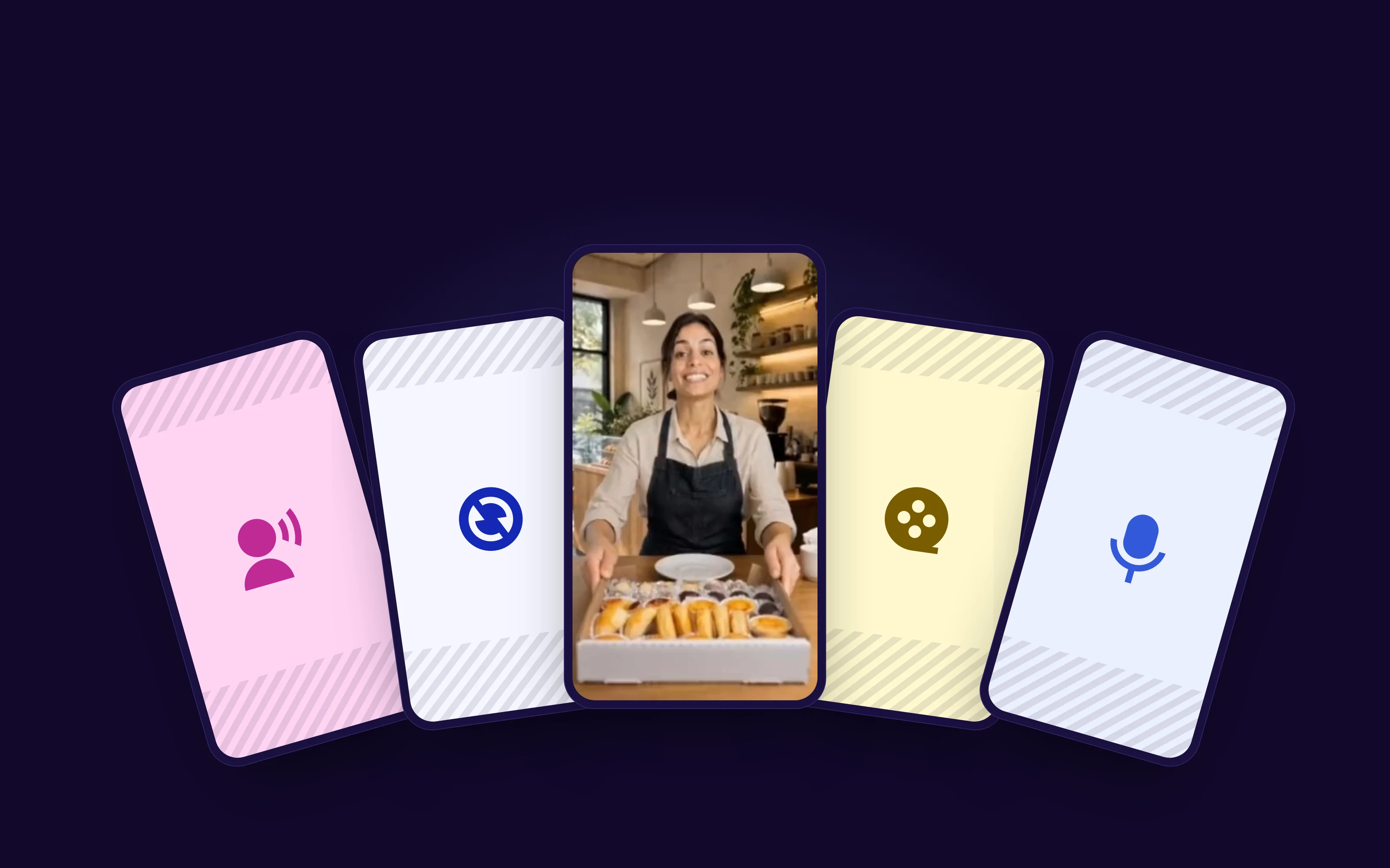
To create a video with AI, you send real photos of your product or business, describe the idea in a few lines, review the script and scenes the AI puts together and, in about 10 minutes, you get the video with voice-over, music and captions, in the format of the network where you will post it. No camera, no video editor and no need to appear on screen. Below: the step by step, the prompts behind each video style and what AI video tools really offer for free.
| Video style | The AI creates it from | What it is for | Length |
|---|---|---|---|
| Creator review | Product photos + the person who will speak | Ads and product Reels | 20 to 30 s |
| 360° product | One product photo | Online store, marketplaces, TikTok Shop | 10 to 15 s |
| Business owner selfie | Photos of the place + the person | Introduce the business | 15 to 30 s |
| Cinematic teaser | Just a text with the idea | Build the brand | 30 s |
| Narrated video | Photos of the service or product | Explain, teach, present | 15 to 30 s |
In this guide, you will learn:
- How to make a video with AI in 5 steps, with a real example made live in our workshop.
- Why real photos make the video look real, and the test that shows the difference.
- The prompts behind each style: review, 360°, selfie, teaser and narrated.
- Whether you can create AI videos for free and how to choose an AI video tool.
How to create a video with AI in 5 steps
The steps below apply to any AI that creates video from photos and text: you set the direction, the AI does the production work and you approve before the final result. Notice who does each step: the decisions that make the video good stay with you.

To illustrate, we use a video made live in our Vídeo sem Câmera (Video Without a Camera) workshop for Café Casa, a fictional coffee shop created for testing, in the BestContent Social video generator.
1. Gather your photos and check your brand
A video turns out well when it starts from real material. Before you begin, gather product photos (front, side, in use and close up), photos of the place (storefront, counter, office) and your logo in good resolution. A small or pixelated logo comes out blurry in the video.
If someone is going to appear, use a person created by the AI itself, like an avatar, or a photo you have permission to use. Never someone's photo without permission.
It is also worth checking your brand profile, if the tool has one. Many read your website and fill in logo, colors, audience and tone of voice, and that information goes into the script and look of every video. Read it all before creating: a wrong audience there changes the tone of every video.
2. Write the prompt and send the references
The prompt is the request you make to the AI. Start with the message, not the technique: say the video style, what it needs to show, who it is for and how it ends. Along with it, send the reference photos and choose the format (vertical 9:16 for Reels, TikTok and Shorts), the length and the voice.
Example used in the video: Make a video presenting my coffee shop's afternoon snack: a stuffed bauru sandwich, sweets and savory snacks, everything to beat the afternoon hunger. Three photos went with the request: the creator from several angles, the barista at the counter and the coffee shop floor.

3. Let the AI build the script and scenes
The AI reads the prompt and the photos, writes the script and splits the video into scenes, with angles, settings and the length of each one. If an important image is missing, it asks for it. In one of the videos from our workshop, the AI asked for a photo of the kibble of the dog food being advertised. Without the photo, you can let the AI create the image, but the result is less faithful.
4. Review before generating
This is the step that saves the most time and credits. You see each planned scene, listen to the voice options, check the music and ask for changes in one sentence, like "show the sandwich closer" or "the creator needs to mention the price". Nothing is generated until you say so.
Before generating, check whether the tool shows the estimated cost and refunds the credits when a generation fails. Reviewing with the cost on screen is what turns a wrong attempt into a text edit instead of a wasted video.

5. Generate, turn on captions and publish
Once the scenes are approved, the AI generates the video, the voice and the music and puts it all together. A 30-second video takes 7 to 10 minutes on average from request to finished video; videos with many settings and characters can take up to 20 minutes. In most tools, you can do something else while the video is generated.
With the video ready, turn on captions. Much of the audience watches without sound, so the message needs to be written on screen. Choose a readable font, keep captions away from the top and bottom edges and prefer short sentences. Then publish or schedule the video in a post scheduler, along with the rest of your calendar.
Real photo or AI-generated image: the test
An AI video tool can invent everything, including the product. But there is a clear difference between a video built from real photos and one built from invented images, and it shows exactly in what you want to sell.
The step-by-step video was the first of two versions we made for Café Casa in the workshop, with the same creator, the same setting and the same prompt: a video inviting people for an afternoon snack.
- First version, with food created by the AI: the script and the creator were good, but the sandwich, snacks and sweets looked fake. Pretty, but not appetizing.
- Second version, with real photos of the food: the same script reached another level. The sandwich, snacks and cake looked exactly as they are, and the video made you want to go to the coffee shop.

The rule to keep: let the AI create the setting and the mood, and send real photos of everything you sell. Food, clothes, jewelry, packaging and the place itself are what customers will compare with real life.
How to keep the same person in every video
A common problem with AI video is the person's face changing from one video to the next, which breaks the trust of people who follow the profile. The fix is to reuse the same references.
Most tools keep the images used in each video. In the next video, you select the same image of the person (and, if you want, the same setting and objects) and write a new prompt. The person comes back with the same face, the same voice and the same place, talking about something else.

In practice, it is like having a brand avatar: the same content creator presents the news of the week, the offer of the month and the launch. In the workshop, the same creator appeared in three different videos for a pet shop, in different angles, like selfie and fixed camera, without losing consistency.
5 prompts to create videos with AI (one for each style)
The video style comes from your prompt. The five below were tested in the workshop and work for almost any business. Swap the details for your brand's and use them as a starting point.

Product review with a creator
A person shows the product as if they had just bought it, talks about the benefits and recommends it. It is the format closest to an influencer ad.
Review-style video, 30 seconds, vertical 9:16. A pet owner shows the food she is giving her shih tzu. She mentions: made with fresh chicken, no artificial colors, helps the joints and makes the coat shinier. End with "Found it at the store, totally worth it".
- Send: photos of the packaging and close-ups of the product.
- Caution: list the points the person needs to say. Without that, the AI picks the benefits for you.
Workshop tip: if you do not know where to start the prompt, paste the product page link into an AI chat and ask for a 30-second review script. Then adjust the text and use it as your request.
360° product
The product spins, appears from several angles and someone demonstrates its main benefit. It is the showcase video for online stores and marketplaces.
Create a video showing our thermos bottle in 360°.
That was exactly the prompt used in the workshop, together with a photo of the bottle. The AI created the video from the photo, with the demonstration (the bottle upside down without leaking) and a closing call to buy.
- Send: one good product photo with a clean background.
- Caution: a short prompt works when the photo is good. If the video needs a specific benefit, say which one.
Business owner selfie
Someone films themselves on their phone, presenting the business like someone sharing news with friends. It feels close and works very well for local businesses.
Selfie-style video, 20 seconds. The pet shop owner records on her phone, excited, showing the new store: grooming, vet care and lots of love. Switch angles between selfie and a propped-up camera. End with "Come visit".
- Send: photos of the storefront and the inside.
- Caution: write the way the person talks. Formal sentences sound artificial in a selfie video.
Cinematic teaser
A video that looks like a TV commercial, tells a short story and moves people. The AI creates it from text, no photo required. It is for building the brand, not selling one item.
30-second cinematic video for a pet shop. A perfect house, tidy and colorless, until a caramel mutt arrives and everything comes alive. Moving voice-over. End with the store name and city.
- Send: nothing required. The logo helps in the closing.
- Caution: one idea only, with a beginning, a twist and an end. A story with many twists does not fit in 30 seconds.
Narrated video
A voice guides the video while the scenes play, with nobody speaking on screen. It works to explain a service, teach something quick or present a menu.
15-second narrated video about the dish of the day, from the photos sent. The dish arriving at the table, a close-up of the steam and a forkful. Warm, unhurried voice-over. End with "Order for delivery until 2 pm".
- Send: real photos of the service or the dish.
- Caution: listen to the voice before generating. An overly excited voice gets in the way of a serious subject.
Can you create AI videos for free?
You can try, but almost no AI video tool is truly free for frequent use. Generating video is expensive for whoever offers the tool, so the free version usually comes with at least one of these limits:
- Few credits: enough for one or two short videos a day or a month.
- Watermark: the tool's logo appears on the video, which does not work for a professional profile.
- Short length and lower quality: videos of a few seconds and reduced resolution.
- No voice in your language or no captions: the video comes out silent or with a voice in another language.
- Waiting line: in some tools, free videos are processed after paid ones.

Before choosing a free AI video tool, check these five points. The free version is often good for getting to know the tool, not for keeping up a posting schedule.
If the tool offers a trial period, use it for a real video, not a loose test: check whether the trial includes voice in your language, captions and the vertical format, and whether sign-up asks for a card. Note when the trial ends so you can decide calmly.
How to choose the best AI to create videos
There is no single best AI video tool for everyone: it depends on what you will do with the video. For people who create social media content every week, five criteria separate the tool that helps from the one that becomes another chore:
- Your language, for real: voice, captions and script in your language, with no odd accent or literal translation.
- Real photos as the base: the AI must create the video from your photos and keep the product faithful.
- Control before spending: see the script and scenes and adjust them before generating. Without that, every wrong attempt costs credits.
- The same person across videos: without character consistency, you cannot build a brand presence.
- The path to publishing: an AI that only generates, or only edits video with AI, solves part of the job. Count how much you still need to do in other tools to caption, schedule and publish.
A practical way to compare: make the same video, with the same photos and the same prompt, in two tools. Compare how faithful the product is, how natural the voice sounds and how much work was left for you after the video was ready.

AI video for each social network
The same video can run on several networks, but each one has its own way of being watched. The vertical 9:16 format, at 1080 x 1920 px, works for almost all of them. If you are still deciding where to post, see the most used social networks in Brazil. See the sizes of every format in our Instagram post size guide.

- Instagram Reels: the Instagram format that reaches the most people who do not follow the profile yet. Review, 360° and teaser work well. Keep text away from the top and bottom edges, where the profile name, caption and buttons appear.
- TikTok: the audience expects pace and conversational language. Selfie and creator review usually do better than institutional video.
- YouTube Shorts: many people arrive without knowing the channel, so the video must explain itself. An educational narrated video is a good starting point.
- Stories: they talk to people who already follow you. The video can be more direct and commercial: news, today's offer, an event reminder.
Meta, owner of Instagram and Facebook, may tag AI-made content with the "AI info" label. In practice, what decides reach is still whether the video holds attention in the first seconds.
Why create videos with AI in 2026
Video has become the main format on social networks, and it has always been the most expensive to produce. According to Wyzowl's 2026 annual survey, 91% of businesses use video in marketing, and 63% of video marketers have already used AI to create or edit a video, up from 51% the year before. In Brazil, HubSpot's GTM Brazil 2026 report shows that 96% of marketers already use AI in some way, and visual production is one of the main uses (43%).
For a small business, the math is about time and money. A scripted and edited video by a videographer costs from R$ 1,500 in Brazil, and a creator video (UGC) costs around R$ 200 each, according to the survey we presented in the Vídeo sem Câmera workshop in October 2026. In both cases, the first video usually takes weeks to be ready.

Among small businesses, most have not started yet: an InfinitePay survey of 457 Brazilian entrepreneurs, from March 2026, showed that 65.7% still do not use any AI tool, but 52.7% already consider it essential to compete this year. Starting now still puts you ahead of most. The gain only shows with frequency: organize your videos in a posting schedule instead of creating one at a time, when you have spare time.
Common mistakes when creating videos with AI
- Letting the AI invent the product. A product created by AI looks fake. Send real photos of everything you sell.
- Generic prompt. "A video about my product" produces a video that could belong to any brand. State the style, the audience, the points that must appear and the ending.
- Skipping the review. Generating right away and redoing it later costs more time and credits than adjusting the script first.
- Low-resolution logo. It comes out blurry at the end of the video. Use the original file.
- Changing the person in every video. Reuse the same reference so the audience recognizes who speaks for the brand.
- Publishing without captions. Many people watch without sound and scroll past a video whose message is only in the voice.
- Using someone's photo without permission. Use an AI-created avatar or an image you have permission to use.

Google does not penalize content just for being made with AI, according to Google Search guidance: what counts is usefulness to the viewer. The same goes for social networks. If you do not know what to post this week, the post ideas generator suggests topics based on your niche.
Frequently asked questions about creating videos with AI
How do you create a video with AI?
Send real photos of the product or business, write a prompt with the style and message of the video, review the script and scenes the AI builds and generate it. Before publishing, turn on captions and check that nothing important sits on the edges of the screen.
Which AI creates videos in my language?
Look for three things: native voices in your language that you can hear before generating, automatic captions in your language and a script written directly in it, not translated. Test with a short prompt and listen to the voice: accent and the pronunciation of proper names are the first signs of quality.
What is the best free AI to create videos?
The best one creates the video without a watermark, in your language and in vertical format, even if only during the trial period. Before choosing, check the five common limits of the free version: credits, watermark, length, language and waiting line.
How long does it take to create a video with AI?
A 30-second video takes 7 to 10 minutes on average, from request to finished video. Videos with many settings and characters can take up to 20 minutes, and you can create other content while you wait.
How do you make an AI video from a photo?
Send the photo as a reference and describe in the prompt what should happen in the scene, like the product spinning or a steaming cup. The AI uses the image to keep the packaging, colors and details the same as the real product.
Can you create AI videos without appearing on camera?
Yes. You can create a narrated video, with only a voice over the scenes, or a video with an avatar: a person created by the AI who speaks to the camera, with synced voice and lips.
What is the video size for Reels, TikTok and Shorts?
All three use vertical video in 9:16, at 1080 x 1920 px. Keep text and important elements away from the top and bottom edges, where the buttons and caption appear.
Conclusion
Creating video with AI is no longer an experiment; it is routine for people who produce content. What separates a video that looks AI-made from one that looks like your brand comes down to three choices: start from real photos, review the script before generating and keep the same person speaking for the brand.
The creative part stays with you: what to say, to whom and with what goal. The AI handles the production work, and your review is what makes sure the video looks like your brand.
This guide is by BestContent. If you want to repeat the Café Casa example, it was made in the BestContent Social AI video generator.