Trial reels on Instagram in 2026: what they are, how to post them and when they're worth it
In this article, you will learn what trial reels are and how they work; who can use them and why the option doesn't show up; how to post, schedule and track a trial reel; when to share it to everyone; and a method for testing hooks, formats and topics.

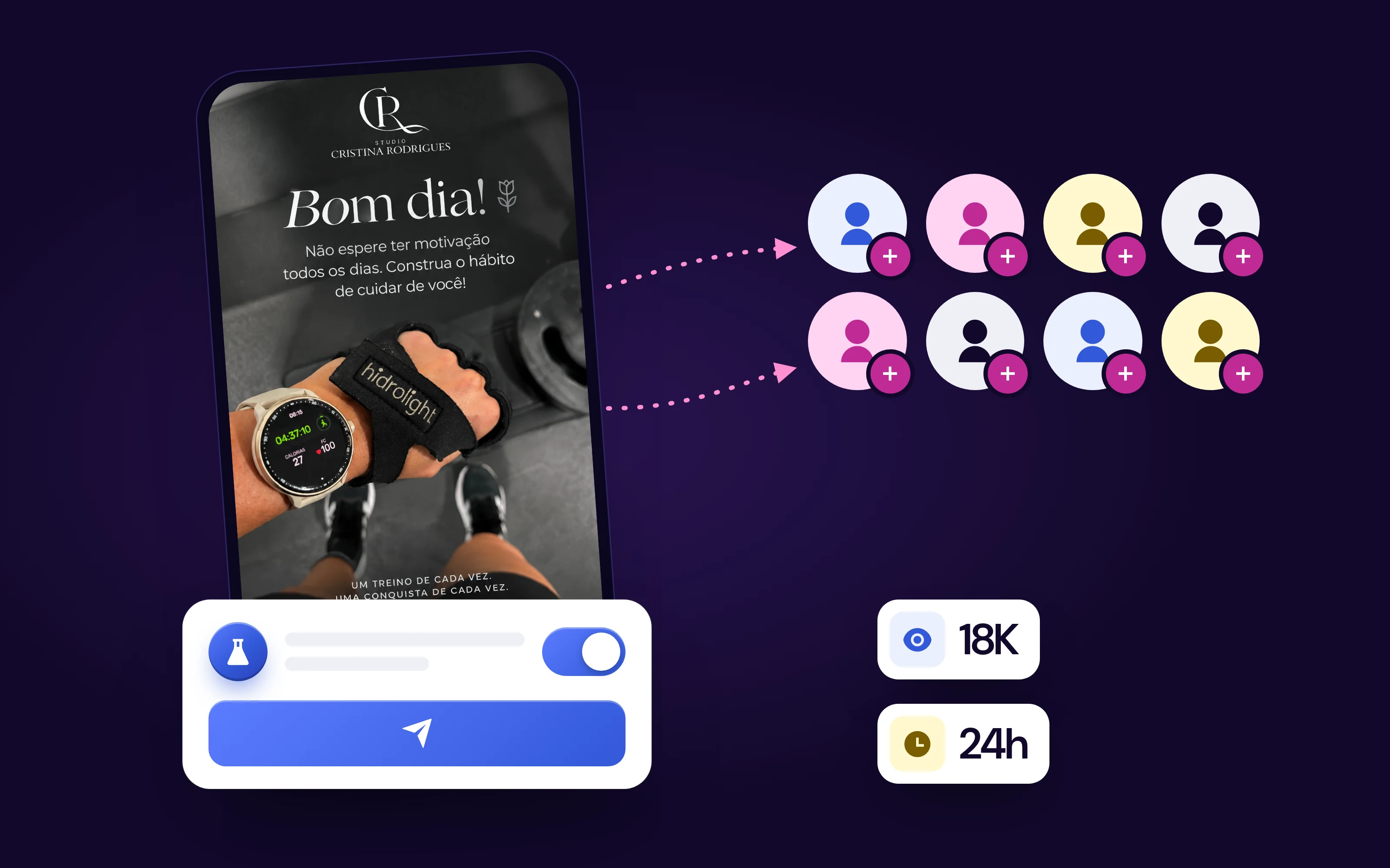
Trial reels are Reels that Instagram shows first only to people who don't follow you: within 24 hours you see views, likes, comments and shares and decide whether to release the video to your followers. It's the official way to test a new hook, format or topic without wearing out the people who already follow your profile.
| Trial reel | Standard reel | |
|---|---|---|
| Who sees it first | Only people who don't follow you | Followers and non-followers |
| Shows on your profile | No, until you tap Share to everyone | Yes, on the grid and the Reels tab |
| Metrics | Within 24 hours: views, likes, comments and shares | Full Reels insights |
| Effect on other Reels | Evaluated separately; doesn't affect your standard Reels | Counts toward your profile history |
| Who can use it | Public account: 200 followers (professional) or 1,000 (personal) | Any account |
Trial reels are still live in 2026. Two things have changed since the launch in December 2024: the Instagram Help Center now opens the feature to professional accounts with 200 followers and personal accounts with 1,000, and since April 2026 you can schedule a trial reel in the app itself.

In this guide, you'll learn:
- Who can use trial reels and why the option doesn't show up for some accounts.
- How to post a trial reel, step by step, with the button names in the app.
- When to share it to everyone and how long to let the trial run.
- A simple testing method to find out what works on your profile.
Every Reel you publish the standard way is a bet placed with your followers. If the video doesn't hold attention, they see it anyway, and your profile is left with a weak post on the grid. A trial reel takes that bet away from them: the first people to judge the idea are an audience that has never seen you.
What are trial reels and how do they work?
If you want to know what trial reels are, the official definition is short: a Reel shared with accounts that don't follow you, so you can experiment with new ideas and get early feedback on your content. Afterwards, you choose whether to share the video with your followers. The feature was announced by Instagram for Creators on December 10, 2024.
In the Portuguese version of the app, the feature is called "Reels de teste". It's the same thing.
How trial reels work behind the scenes
When you publish, you turn on the Trial option. From there, Instagram looks for people who don't follow you and who might like that content, and shows them the video in the Reels tab and in recommendations.
- Your followers don't see the video in Feed or in the Reels tab.
- The video doesn't appear on your profile, neither on the grid nor in the Reels tab, until you decide to share it to everyone.
- Metrics arrive within 24 hours: views, likes, comments and shares.
- The trial is evaluated separately in Instagram's ranking. According to the Help Center, it doesn't affect the performance of your standard Reels.
That last point matters most to anyone afraid of "burning" their profile. A trial that performs poorly doesn't drag down the Reels you publish the standard way.
What Instagram says about the results
In June 2025, Instagram reported that 40% of creators who tried trial reels started posting Reels more often, and that, of those, 80% saw an increase in reach from non-followers, according to Social Media Today. It's Instagram's own data, with no detail on how large the increase was, so treat it as a signal, not a promise.
Who can use trial reels in 2026?
Under the criteria in the Instagram Help Center (English version, checked on October 30, 2026), you need:
- A public account. Private accounts don't get the option.
- A professional account (business or creator) with at least 200 followers, or
- A personal account with at least 1,000 followers.
- An account that can appear in recommendations. If Instagram has limited your account's reach, you lose access to trial reels until that's resolved.
One detail that confuses a lot of people: the Portuguese version of the same page still only says you need a professional account, with no follower count. The English version is the most complete, and it's the one we used here.

Why don't I have trial reels?
When the trial option doesn't show up, it's almost always one of these causes, in the order worth checking:
- Private account. Open Settings → Account privacy and check that the account is public.
- Too few followers. Fewer than 200 on a professional account, or fewer than 1,000 on a personal one. Switching to a professional account lowers the requirement to 200.
- Account not eligible for recommendations. Go to Settings → Account Status. If there's a reach limit or content that can't be recommended, that's what is blocking the feature.
- Outdated app. New features arrive through the app store; update Instagram before concluding you don't have access.
The button appears on the last screen before you publish the Reel, near the Share button. If you've checked all four items and it isn't there, the rollout hasn't reached your account yet.
Did Instagram get rid of trial reels?
No. On October 30, 2026, the official page for the feature is still live, and Instagram announced new features for it in April 2026. When the option disappears from an account that used to have it, the most common reason is the third one on the list above: the account is no longer eligible for recommendations. Once the limit is gone from Account Status, access comes back.
How to post a trial reel on Instagram
If you want to know how to post trial reels, the path is the same as for a standard Reel, with one extra button. The names below are the ones in the Help Center; they may vary slightly depending on your app version. If you have never made a Reel, start with our guide on how to make Reels on Instagram.
- Record or import the video and edit the Reel as usual.
- On the final screen, before publishing, tap Trial.
- Write the caption, tap Next and then Share.

One caution the Help Center itself highlights: create a new video. If Instagram detects that you've already published that content, the trial reel may get limited reach. Reposting an old Reel as a trial doesn't work.
How to turn on automatic sharing
You can let Instagram decide for you. With this option on, the app shares the trial reel with your followers on its own when it performs well, with lots of views in the first 72 hours.
- Create a Reel and go to the publishing screen.
- Open the trial settings, under the Trial button.
- Turn on Share to everyone automatically.
- Confirm to save.
The setting applies to all your future trial reels until you change it again.
Can you schedule trial reels?
Yes, in Instagram itself. In April 2026, Adam Mosseri, head of Instagram, announced that creators can schedule when a trial reel starts being shown to non-followers, according to Social Media Today. The Help Center doesn't describe the steps yet; if the option doesn't show up for you, it hasn't reached your account.
How many trial reels can you post per day?
Instagram doesn't publish an official limit. In 2025, creators reported a cap of 20 trial reels per day and limit warnings inside the app, but that's a report, not an Instagram rule.
In practice, the limit that matters is a different one: each trial must be a new video and needs up to 24 hours to show numbers. Two or three well-planned trials a week teach you more than ten loose ones on the same day.
Where to find your trial reels and their results
Since a trial reel doesn't appear on the grid, many people publish one and then can't find it. To find it:
- Open your profile and tap the Reels icon.
- Tap the trial reel. Only you can see that it's a trial; in the 2024 announcement, Instagram explained that it sits alongside your drafts.
- Tap View insights to see the metrics.
Metrics show up within 24 hours: views, likes, comments and shares. In the launch announcement, Instagram also said it shows a comparison with your previous trials, which helps you tell whether the result is above or below your usual.
How long should you leave a trial reel running?
Two official timeframes help you decide:
- 24 hours: that's when the metrics start to appear. Before that, you can't judge.
- 72 hours: that's the window automatic sharing uses to decide whether the video did well.
A trial reel can take longer to get views, because Instagram is looking for a new audience for it. So evaluate between 24 and 72 hours, and always compare at the same point in time: today's trial at 24 hours against last week's trial at 24 hours.
When should you share a trial reel to everyone?
When the trial did better than your usual. To share it manually:
- Open the trial reel on your profile.
- Tap View insights.
- Tap Share to everyone.
From then on, the video goes onto the grid and the Reels tab of your profile and can show up in your followers' Feed. The Help Center gives a tip few people read: the sooner you share to everyone, the more likely your followers are to see the video in their Feed. Waiting a week to release a trial that did well on day one wastes that boost.
Manual or automatic?
Advantages of automatic: you don't have to remember to go back to the video, and Instagram releases the trial within the first 72 hours, while it's still early.
Watch out: automatic sharing decides based on views. A video can get lots of views and still not fit your brand or what your followers expect from you. If your profile has a clear editorial line, deciding manually gives you more control.
Do trial reels show up in Feed?
No, as long as it's a trial. A trial reel doesn't appear in your followers' Feed or Reels tab, and it doesn't appear on your profile either. It only goes into Feed after you, or automatic sharing, tap Share to everyone.
There are three exceptions, according to the Help Center: a follower can see the trial if someone sends them the video in a direct message, if they open a page that groups Reels with the same audio, or if they find the video in search engine results. In other words: a trial is discreet, but it isn't secret.
Are trial reels worth it?
For most profiles that already have the feature, trial reels are worth it, as long as you use them to test something, not as a different way to publish the same video as always.
Advantages:
- You test without exposing your profile. A weak video doesn't stay on the grid or show up for people who already follow you.
- The trial doesn't affect your standard Reels, because it's evaluated separately in ranking.
- You reach new people. The trial only goes to non-followers, which is where growth comes from.
- You learn fast. Within 24 hours there are numbers to decide on.
Watch out:
- It takes longer to get views than a standard Reel, according to the Help Center itself.
- Repeated content loses reach. Reposting an old video as a trial limits the result.
- The trial isn't secret. It can reach followers through messages, audio pages or search engines.
- It only measures how strangers react. A video that pleases people who don't know you may not be what your loyal audience wants to see.
In short: they're worth it for testing hooks, formats and new topics. They're not worth it for everything: content that only makes sense to people who already follow you (behind the scenes, schedule updates, replies to followers) goes straight out as a standard Reel.
How to use trial reels to find out what works
A trial reel only teaches you something if you know what you were testing. If you change the topic, the music, the hook and the length all at once, a good result doesn't tell you which change worked. The method below fixes that.

1. Pick one variable at a time
| What to test | Example versions | What to look at first |
|---|---|---|
| Hook (the first 3 seconds) | Question × result on screen × provocative statement | Views |
| Format | Talking head × on-screen text × before and after | Views and shares |
| Topic | Tip × behind the scenes × common mistake in your niche | Shares and comments |
| Length | 15 seconds × 30 seconds × 60 seconds | Views |
| Call to action at the end | "Save this" × "Send this to someone" × no call to action | Shares and comments |
Start with the hook. It's what decides whether someone watches or scrolls past, and it's the cheapest variable to change: the rest of the video can stay the same.
2. Make three versions of the same topic
With a variable chosen, record or assemble three versions that change only that. Publish each one as a trial reel, on nearby days and at similar times, so the time of day doesn't become a second variable. If you don't know your audience's time yet, the guide to the best time to post on Instagram shows how to find it in Insights.
Remember the new-video rule: the three versions have to be genuinely different, and none of them can be a Reel you've already published.
3. Compare at the same point in time
- Compare the three versions at 24 hours each, never one at 24 hours and another at three days.
- Look at the ratio, not just the total. Shares and comments per thousand views show whether the video sparked something, beyond being seen.
- Use the comparison with previous trials that Instagram shows, to know whether the best version is also above your usual.
4. Release the winner and write down what you learned
Share the version that did best to everyone, and early, to make the most of the higher chance of showing up in Feed. The other two stay as trials. Keep a simple spreadsheet of what you tested and which version won: after five or six rounds, a pattern emerges of what your new audience likes, and that becomes a rule for your posting schedule.
An example of how to build the versions
The most time-consuming part of the method is producing three versions of the same video. One option is to generate the variations instead of recording everything again: in the BestContent Social AI video generator, for example, you start from the same script and change only the opening of each version. The video comes out in the vertical Reels format; you publish it as a trial in Instagram itself, by turning on the Trial button. For other ways to produce video without recording, see the guide on how to create videos with AI.
Common mistakes with trial reels
- Testing everything at once. Three completely different videos don't tell you why one won.
- Judging before 24 hours. Trials take longer to get views; the first number is misleading.
- Leaving the video stuck as a trial. A version that did well and was never shared to everyone misses its chance to reach followers.
- Reposting an old Reel as a trial. Instagram limits the reach of repeated content.
- Ignoring video size. A video outside the vertical ratio loses screen space; check the right Instagram post size and how many minutes a Reel can be.
Is there content testing on other social networks?
Trial reels are an Instagram feature. On other networks, what exists is similar, but not the same.
YouTube: Test & compare
YouTube has Test & compare, which tests titles and thumbnails, not the video itself. According to YouTube Help:
- You upload up to three titles and/or thumbnails for the same video.
- The test finishes within two weeks.
- The winner is the version with the most watch time, not the most clicks.
- It works in YouTube Studio on desktop and isn't available for Shorts.
Advantages: YouTube picks and applies the winner on its own. Watch out: since it doesn't work for Shorts, it can't test short vertical video, which is what trial reels test.
TikTok and Facebook
As of October 30, 2026, we didn't find an official feature on TikTok or Facebook that shows a video first only to people who don't follow you. On those networks, testing is still manual: publish different versions on different days and compare them at the same point in time, with the same one-variable-at-a-time method.
Frequently asked questions
What are trial reels?
A Reel that Instagram shows first only to people who don't follow you. Within 24 hours you see the video's metrics and decide whether to share it with your followers.
Why don't I have trial reels?
The official causes are a private account, fewer than 200 followers on a professional account or fewer than 1,000 on a personal one, or an account that can't appear in recommendations, which you can check in Settings, Account Status.
Do trial reels show up in Feed or on your profile?
No, until you tap Share to everyone. Even as a trial, a follower can still see the video through a direct message, on an audio page or in search engine results.
How long should you leave a trial reel running?
Metrics appear within 24 hours, and automatic sharing looks at the first 72 hours. Evaluate within that window and, if the video did well, share it early: the sooner, the more likely it is to show up in your followers' Feed.
Are trial reels worth it?
Yes, for testing a new hook, format or topic without exposing your profile, because the trial is evaluated separately and doesn't affect your standard Reels. Not for content made only for people who already follow you.
How many trial reels can you post per day?
Instagram doesn't publish an official limit. In 2025, creators reported a cap of 20 per day. Each trial must be a new video, so two or three trials a week are enough to learn from.
Conclusion
In short, trial reels on Instagram in 2026:
- What they are: Reels shown first only to people who don't follow you, with metrics within 24 hours.
- Who can use them: public accounts with 200 followers (professional) or 1,000 (personal), with no limits in Account Status.
- How to post one: tap Trial before sharing; automatic sharing releases the video if it performs well within 72 hours.
- How to use them well: one variable at a time, three versions, comparison at the same point in time and the winner shared early.
Trial reels don't turn a weak video into a good one. What they do is show, with numbers and without exposing your profile, which of your ideas deserves to reach your followers. Start with the hook: it's the cheapest variable to change and the one that weighs most on the result.
This guide is from BestContent. To build the versions for each test without recording everything again, use the BestContent Social AI video generator.