
Getting to know BestChat
Chat with several AI models to write, plan, analyze and create.

Quick answerBestChat (shown as BC Chat) brings several AI models into a single conversation. It writes, plans, analyzes, generates images and even builds websites. It is an optional offer: you do not need it to use Social 2.0.
How to open it
1Open the app switcher
In Social 2.0, click the grid button in the bottom right corner.
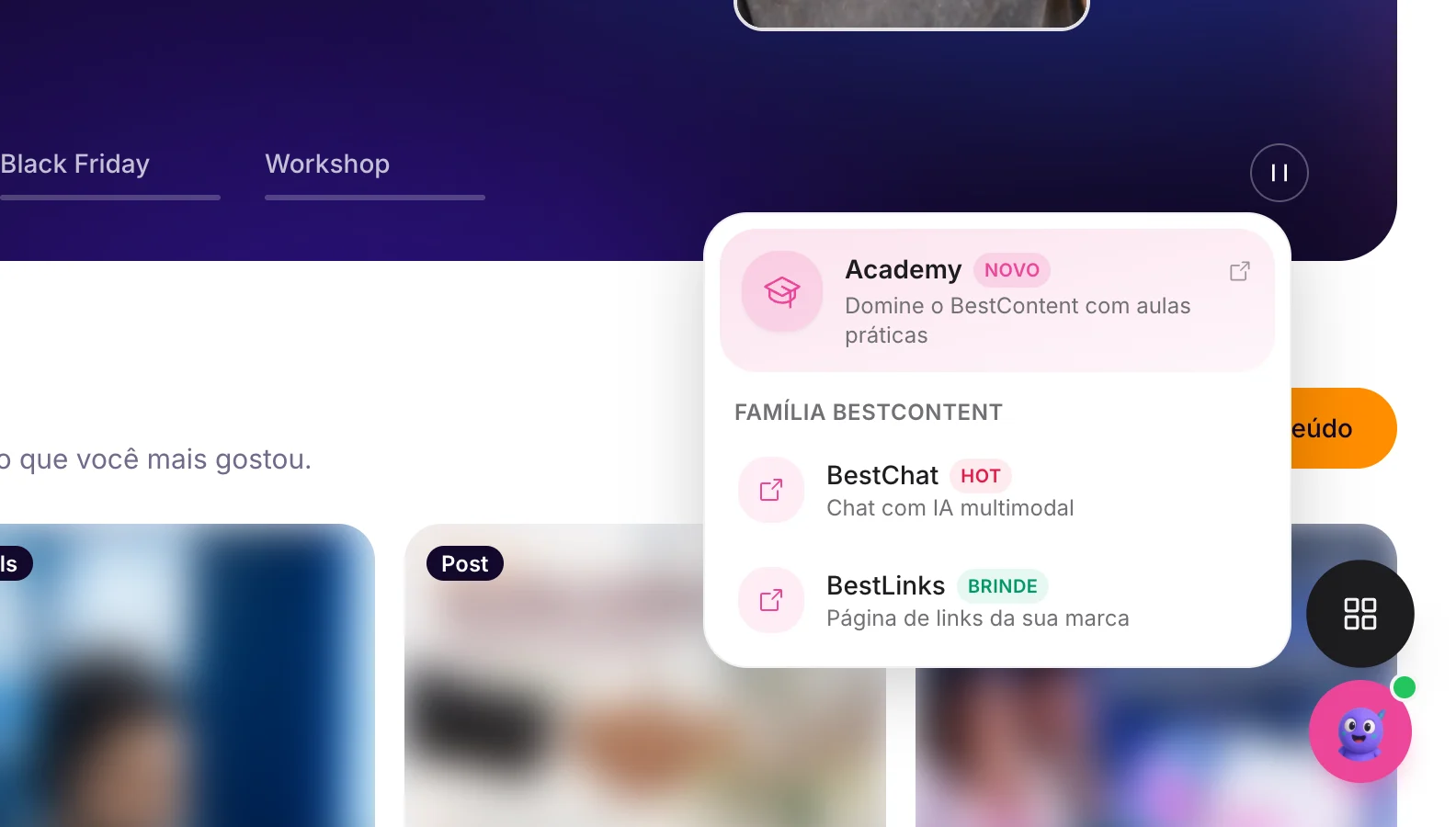
2Choose BestChat
Or go straight to chat.bestcontent.ai.
3Start a conversation
Write what you need: the goal, the audience, the context and the format of the answer.
What you can do
- Ideas, captions, scripts and content plans.
- Summarize and reorganize information.
- Compare approaches and adapt the tone of voice.
- Generate images.
- Organize conversations into Projects.
- Build a website by chatting, published at yourname.bestchat.site.
Related guides
BestChatChatting with several AI modelsBestChatGenerating images in BestChatBestChatOrganizing conversations into projects
Was this page helpful?
Your answer helps us improve this guide.

Still have questions?
Contact support. Have your account email at hand.