
Getting to know the content calendar
See your planned month, track the status and organize your next posts.

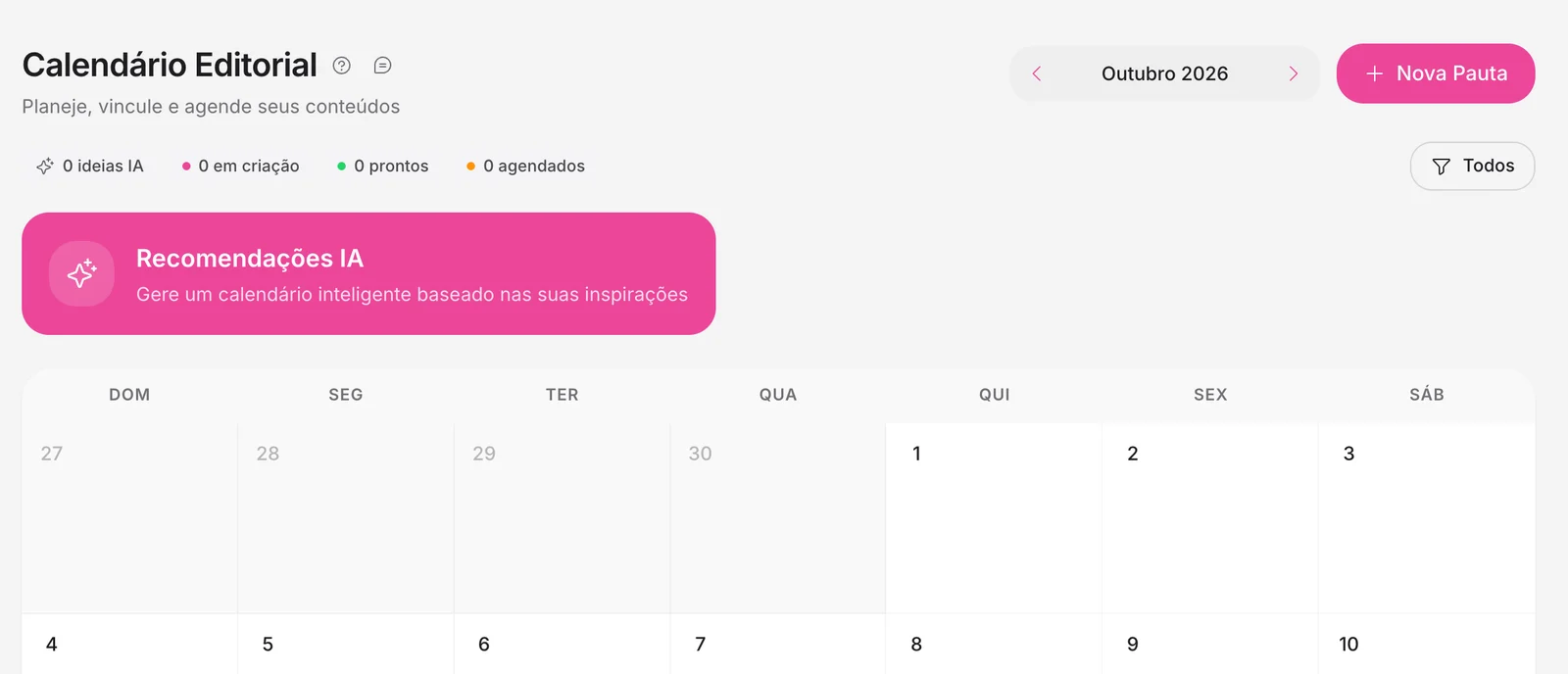
Quick answerClick Calendar in the side menu. The Content Calendar shows the month, the status counters and the AI Recommendations.
What is on the screen
- New Plan: plans a piece of content on a date.
- Counters: AI ideas, in progress, ready and scheduled.
- AI Recommendations: a suggested calendar based on your inspirations.
- Filter (All) and month switch at the top.
The statuses
- AI ideas: suggestions that can still become posts.
- In progress: posts being prepared.
- Ready: finished and available to schedule.
- Scheduled: with a date and time.
- Published: sent successfully.
For agencies
In Agency → General calendar, you see the calendar of all brands together.
.avif)
Related guides
Calendar and schedulingHow to schedule your postsCalendar and schedulingAutomatic scheduling on Instagram, Facebook and LinkedIn
Was this page helpful?
Your answer helps us improve this guide.

Still have questions?
Contact support. Have your account email at hand.