
Getting to know Quick Video
Generate a short video from a single sentence, with narration, captions and your brand.

Quick answerClick Create → Video Posts. Describe the video in one sentence and click Generate video. In Auto, the AI directs the scene; if you want, adjust pace, camera, lighting, color, format, length and voice.
The controls
- References: images or videos the AI should follow.
- Pace, Camera, Lighting and Color: set to Auto.
- Format (such as Vertical 9:16) and Length.
- Video voice: choose a voice or use your own.
- Quality and Logo.
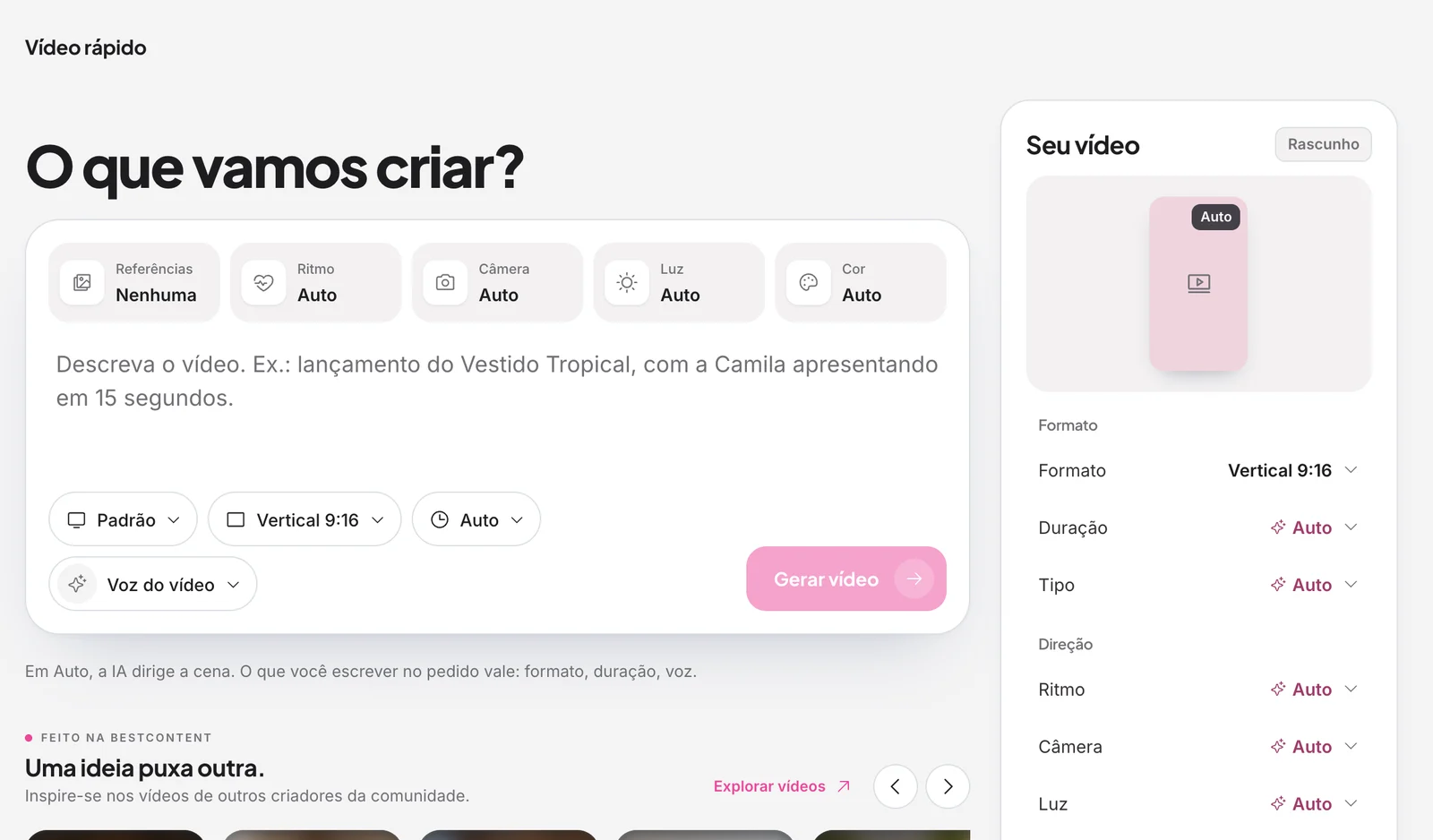
Your video panel
On the right, the Your video panel shows the preview and all your choices. The video starts as a draft.
You can also
- Narrate with your own voice: record once and the AI learns how you speak.
- Turn photos into Reels: the AI builds the video with motion, text and your brand.
Get inspired
Below the field, One idea leads to another shows videos made by other creators in the community.
.avif)
Related guides
Was this page helpful?
Your answer helps us improve this guide.

Still have questions?
Contact support. Have your account email at hand.