
Video with your voice and Photos to Reels
Narrate your videos with your own voice and turn photos into Reels.

Clone your voice
1Open Video voice
In Quick Video, click Video voice.
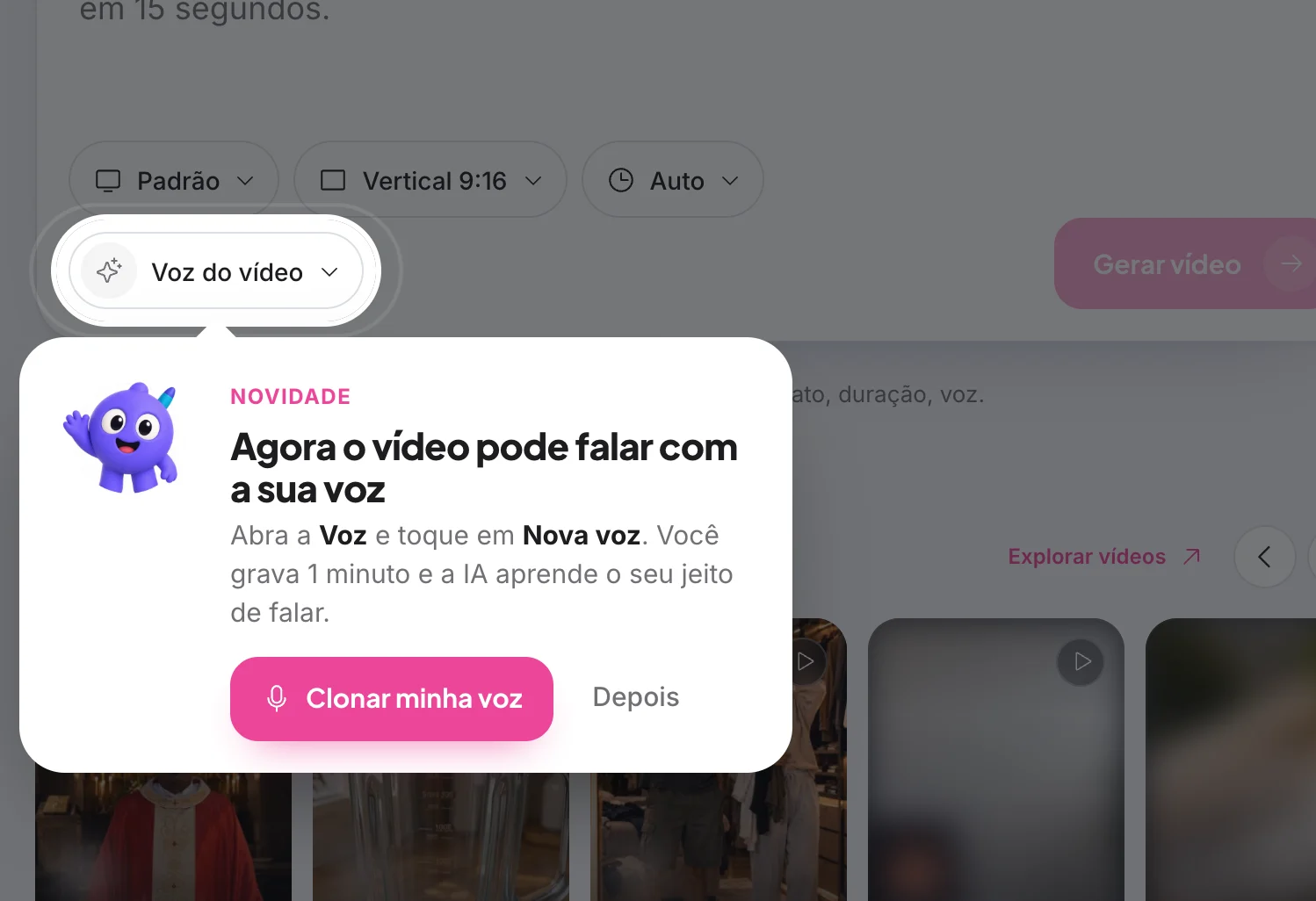
2Tap New voice
Or Clone my voice, in the announcement.
3Record
Click Start recording and speak in a quiet place. Recording stops by itself at 1 minute; 30 seconds is already enough to create the voice. Prefer a ready-made recording? Use Upload audio I already have: 30 seconds to 2 minutes, up to 10 MB, in MP3, M4A, WAV or OGG.
4Use it in the video
Choose your voice under Video voice before generating.
Photos to Reels
1Open the announcement
In Explore, open the Photos to Reels highlight and click Turn photos into Reels.

2Choose Video Posts
On the What do you want to create? screen, click Video Posts. Quick Video opens.
See the guide: Getting to know Quick Video3Upload the photos
Under References, upload the photos the AI should use. It builds the video with motion, text and your brand.
4Generate
Describe the Reel and click Generate video.
How to know it worked
- Your voice shows up as an option under Video voice.
Related guides
Your answer helps us improve this guide.

Contact support. Have your account email at hand.