
Managing your subscription
See your plan, limits, AI credits and the space you use.

Quick answerIn the account menu, in the bottom left corner, click My subscription. The page shows your plan, limits, AI credits, storage and available plans. Payment, invoices and tax receipts are in the payment portal: click Manage Subscription and Payments.
How to open it
1Open the account menu
Click your photo, in the bottom left corner.
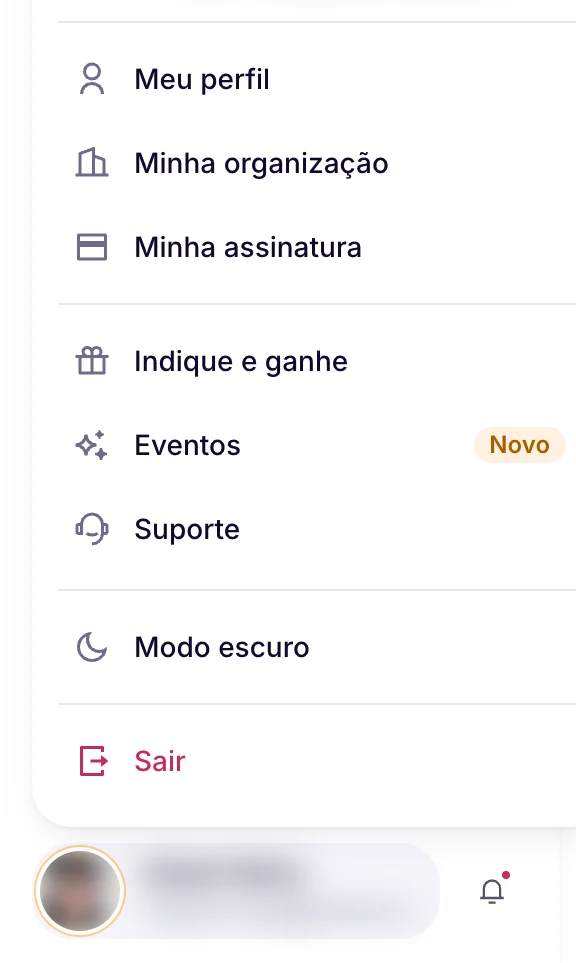
2Click My subscription
The page opens with your plan.
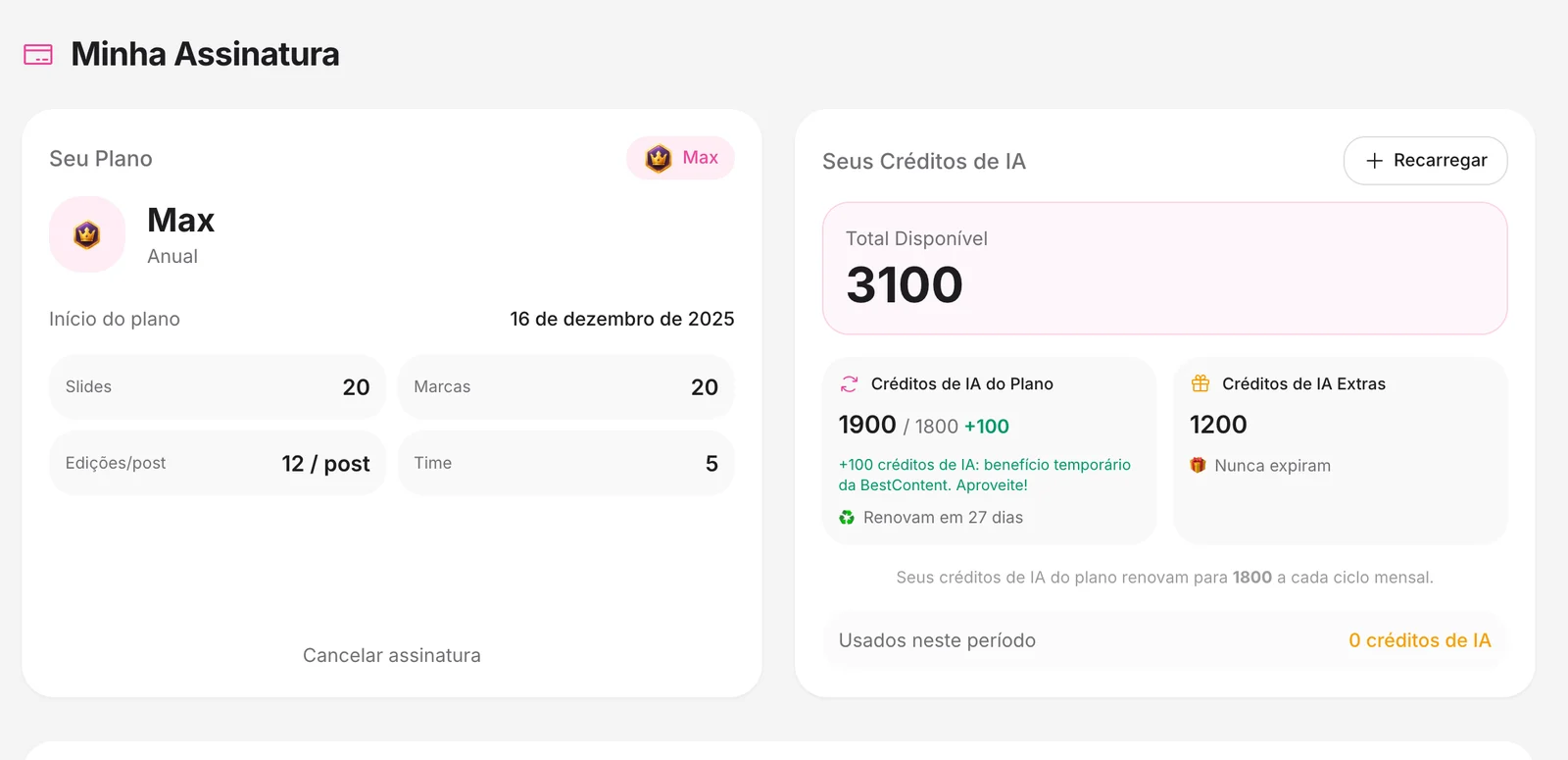
What you will find
- Your plan: name, start date and limits (slides, brands, edits per post and team members).
- Your AI credits: the total, the plan credits and the extras, with the renewal date.
- Storage: how much space posts, videos and images take up.
- Available plans: to change plans.
AI credits
- Plan credits renew every cycle.
- Extra credits never expire.
- To buy more, click Top up.
The payment portal
- Overview: active subscription, next charge, last invoice and notices, such as “Payment pending” (with Settle payment) and the request for your tax ID (CPF/CNPJ) to issue the tax receipt.
- Subscriptions: plan, next renewal, Change plan and Cancel subscription. You can pay by card or PIX (PIX only on the annual plan); from annual to monthly, only at the end of the cycle.
- Payment: saved cards, Add card and Set as default card. With an active subscription, you cannot remove the card.
- My details: name, tax ID (CPF/CNPJ), phone and billing address. The email cannot be changed.
- Invoices: each charge with View invoice or View receipt, Tax receipt (PDF) and Download XML once issued, and Refund receipt after a refund.
Unrecognized charge?
Do not rush to change your details. Write down the date and amount and contact support using your account email.
How to know it worked
- The page shows your plan and the credit renewal date.
- The portal opens with your subscription in the Overview.
If something doesn't go as expected
- Refresh the page and check the status again.
- Write down the date, amount and plan before contacting support.
- Do not repeat a billing request while the first one is under review.
Related guides
Was this page helpful?
Your answer helps us improve this guide.

Still have questions?
Contact support. Have your account email at hand.