
Static or Editable Image: which to choose
Both use AI. The difference is how much control you want over the design.

Quick answerStatic Image: the AI creates the whole design from scratch, and you change it by chatting with it. Editable Image (Beta): the design comes in a template, with texts and elements you change by hand. You choose the template after defining the content.
Static Image
- Good for one-off images and free-form designs.
- A fully unique composition, with elements created on the spot.
- You edit through the AI Editor chat.
- It has a Visual style and, for carousels, a limit of 3 to 20 slides.
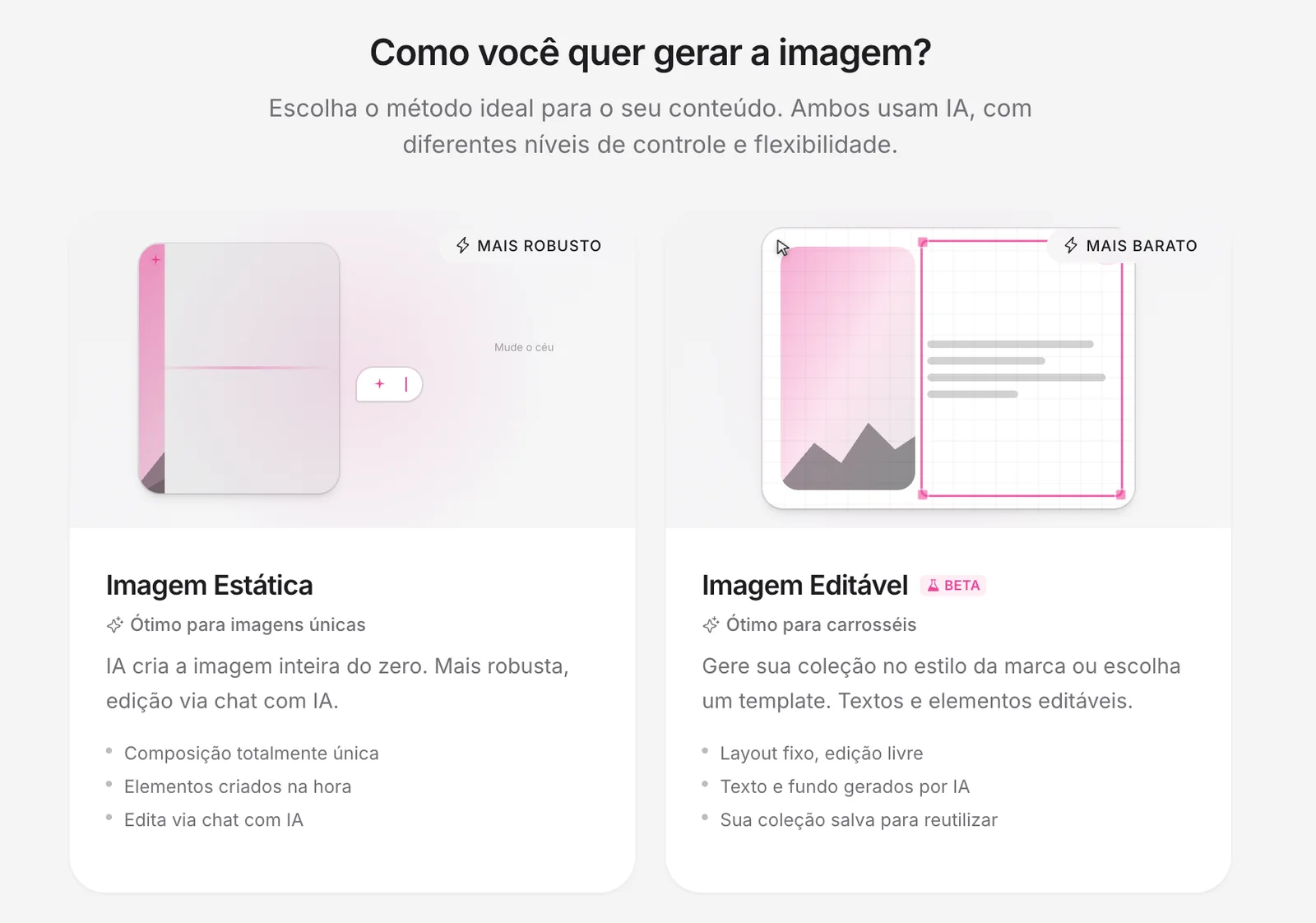
Editable Image (Beta)
- Good for carousels that follow your brand pattern.
- Fixed layout, with text and background generated by the AI.
- You change texts and elements by hand, like in a design editor.
- Templates stay in your collection to reuse.
How to use a template
1Choose Editable Image
In Create → Image Posts, click Editable Image.
2Format
Choose the format. The Template section already shows below it, but you choose later.
3Mode and content
Set the goal and the approach and choose how to create: Create from Scratch, From a Link or Inspirations.
4Choose the template
In the Fill Template with AI step, choose the template. The AI fills in the texts.
5Adjust and finish
Change texts and elements in the editor and click Finish.
See the guide: Getting to know the design editorYour brand templates
Create brand templates generates 1 template (up to 55 credits) or a collection of 6 (up to 235 credits), charged only once.
Want a consistent presence?
Reuse a few templates. Your feed becomes recognizable and you create faster.
How to know it worked
- The post opens in the editor with the template texts filled in.
If something doesn't go as expected
- Simplify the description and generate again.
- Check that the right brand and format are selected.
- In the editor, use Fix / Redo to ask for another version of a slide.
Related guides
Social 2.0Creating your first post with AIEditorGetting to know the design editorEditorHow to change the font of a post
Was this page helpful?
Your answer helps us improve this guide.

Still have questions?
Contact support. Have your account email at hand.