
Getting to know Social 2.0
Understand the areas of the platform and where to start creating for your brand.

The side menu areas
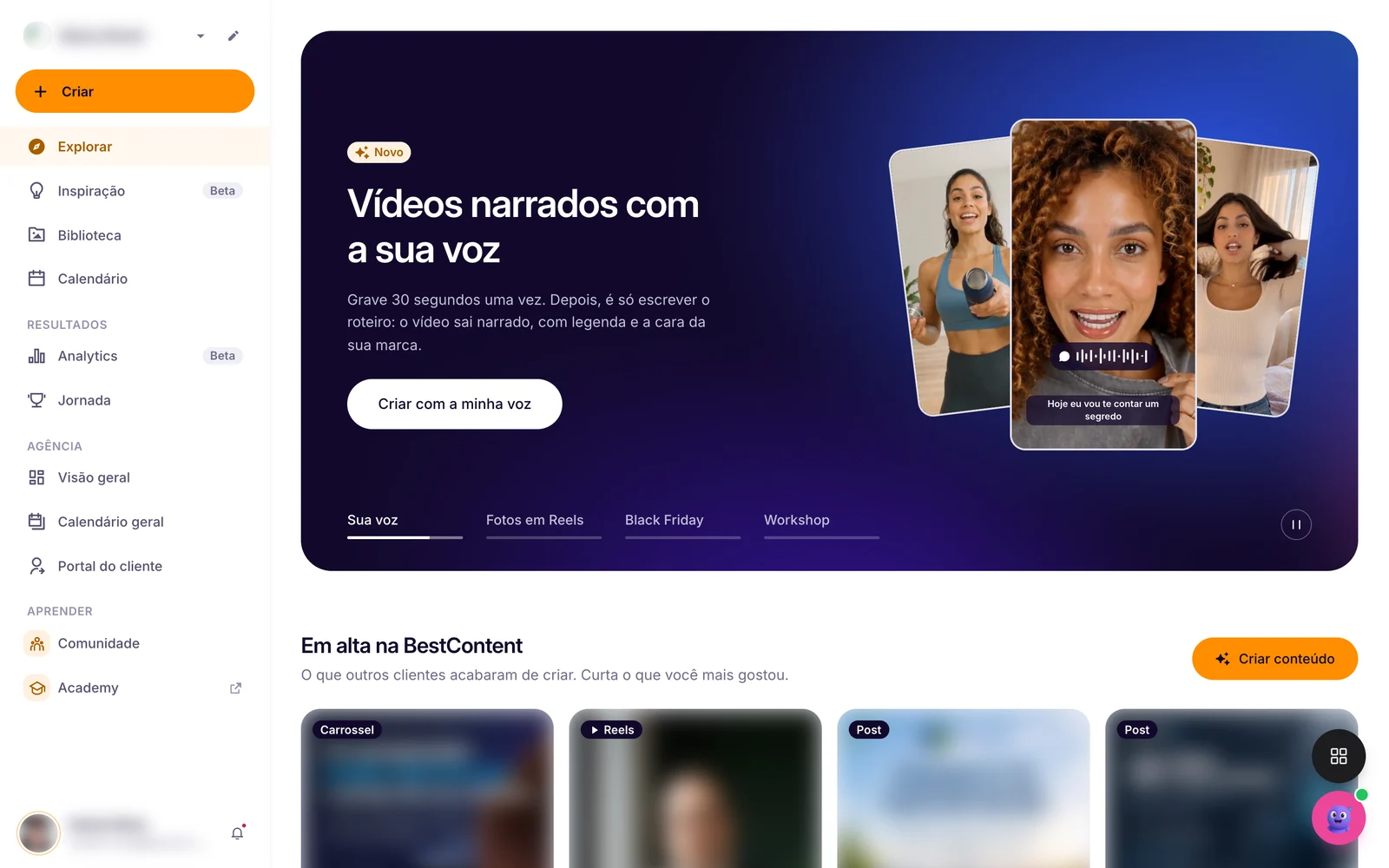
- Create: start a post, carousel, story, video, flyer or song with AI.
- Explore: the home page, with what's new and what's trending at BestContent.
- Inspiration (Beta): ideas and trending topics for your niche.
- Library: all your content, as drafts, scheduled or published.
- Calendar: your planned month and your scheduled posts.
- Results: Analytics (Beta) and Journey.
- Agency: overview, general calendar and client portal, for those who manage several brands.
- Learn: Community and Academy.
Your account
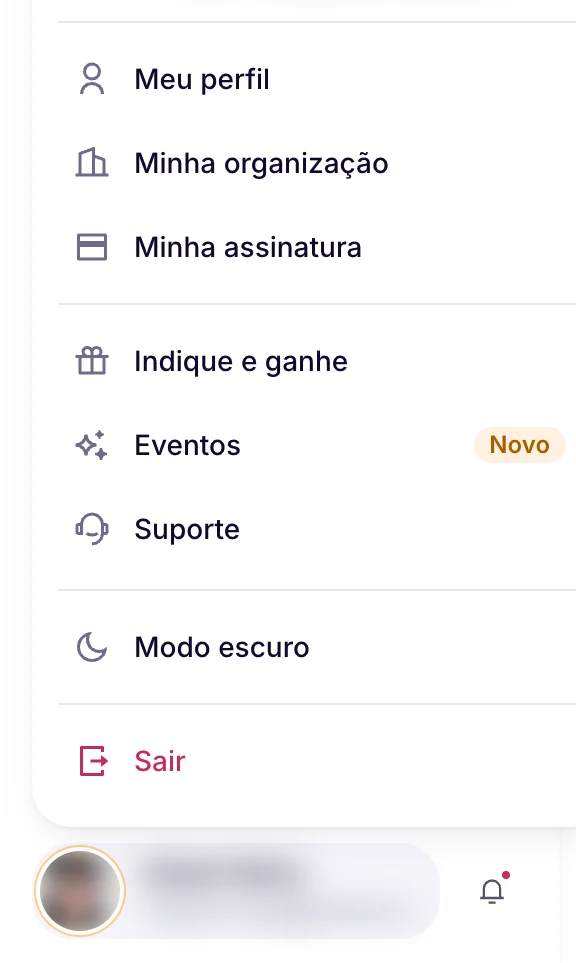
The account menu sits in the bottom left corner: My profile, My organization, My subscription, Refer and earn, Events, Support and Dark mode. The active brand shows at the top of the side menu.
The other BestContent apps
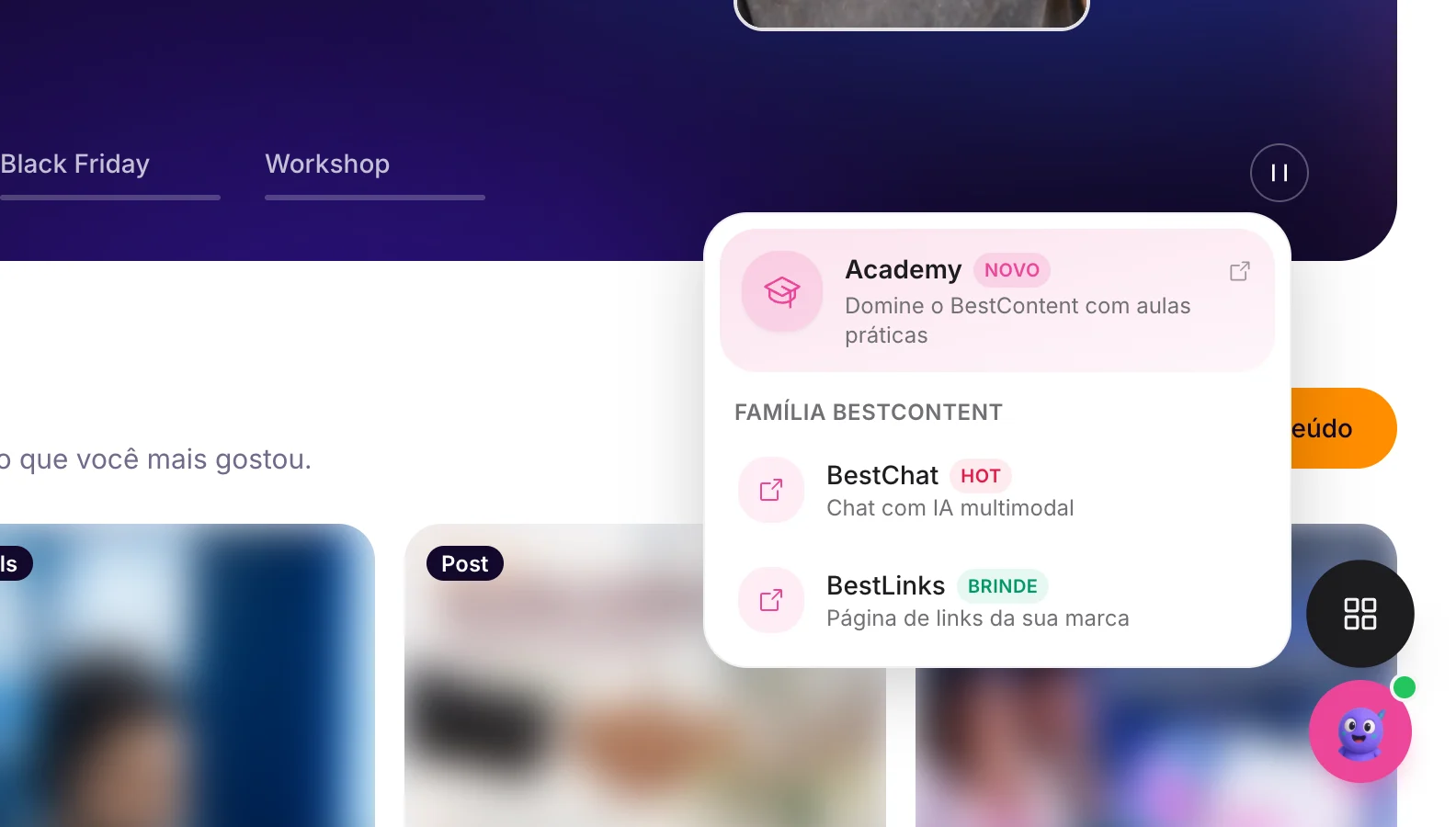
The grid button, in the bottom right corner, opens the Academy, BestChat and BestLinks.
How the flow works
1Click Create
Choose the type of content: image, video, flyer or song.
See the guide: Creating your first post with AI2Set it up and describe it
Choose the format and the goal and tell the AI your idea.
See the guide: Static or Editable Image: which to choose3Adjust in the editor
Change anything by hand or ask the AI Editor. Everything saves automatically.
See the guide: Getting to know the design editor4Finish
Click Finish to publish or schedule. The post stays in the Library.
See the guide: How to schedule your postsSet up your brand before generating. With your logo, colors and tone of voice, the AI gets the style right from the very first post.
.avif)
Related guides
Your answer helps us improve this guide.

Contact support. Have your account email at hand.